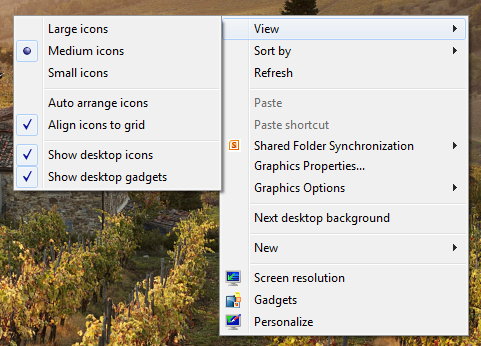
Windows Search has been modified and improved a lot since Windows Vista and is much better in the case of Windows 7. Windows Search is by default turned on all machines running Windows. If you prefer to use a third-party search application instead of Windows Search, you might want to disable the Windows Search so that it doesn’t interfere in the working of the third-party application. Read the following guide to learn how to turn off the Windows Search.

Steps:
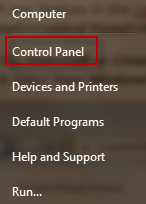
1. Open Control Panel from the link in the Start Menu.
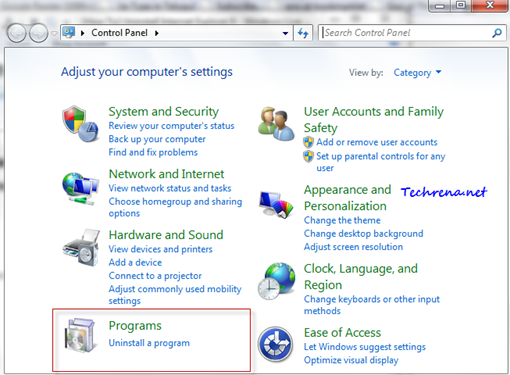
2. Click On “Programs” link on the Control Panel items.
3. Click on “Turn Windows features on or off” link under “Programs and Features”.
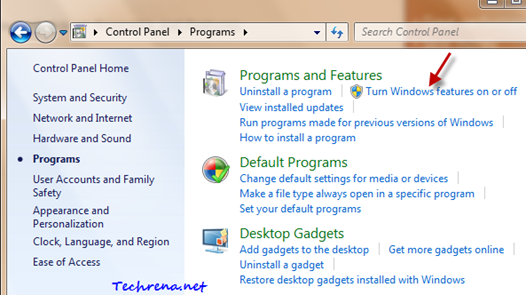
[You can also open the same by searching “Windows features” in the Start Menu and then by opening the “Windows Features”.]
4. Windows Features settings would now open up. Scroll down until you find “Windows Search”.
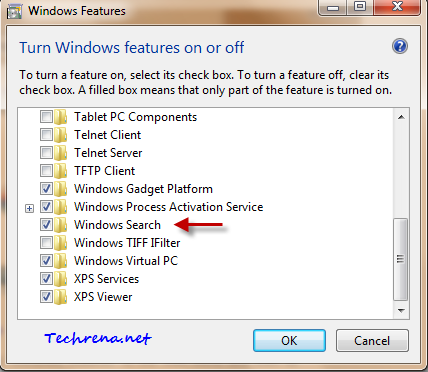
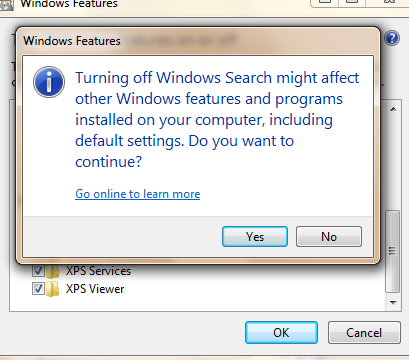
Uncheck in the checkbox against “Windows Search” and you would be presented with a warning. Click Yes to continue.
5. Click “OK” button to apply the settings.
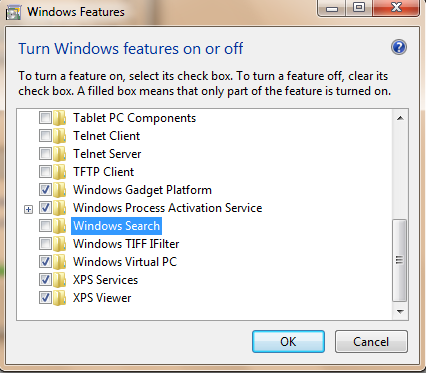
It may take several minutes for Windows to make changes to the Windows Features.

6. You need to restart your computer to see the changes in action.

When you see your computer after the reboot, you will find that all the search boxes in Windows are gone! There won’t be search boxes in the Start Menu, Windows Explorer, Control Panel and Libraries.


If you want to turn the Windows Search feature on, just go back to the step 4 and check the “Windows Search” option to enable it again.